Any video that has been uploaded to your own Drexel Streams library (also known as Kaltura) can be added to your course directly within Canvas. This article provides steps for adding one of these videos to a module in your Canvas course.
Step-by-step
- Log into https://canvas.drexel.edu/ and navigate to your course
- Click on Modules in the course navigation menu and locate the module where you’d like to add your video
- Click on the + icon located all the way to the right of the module’s name

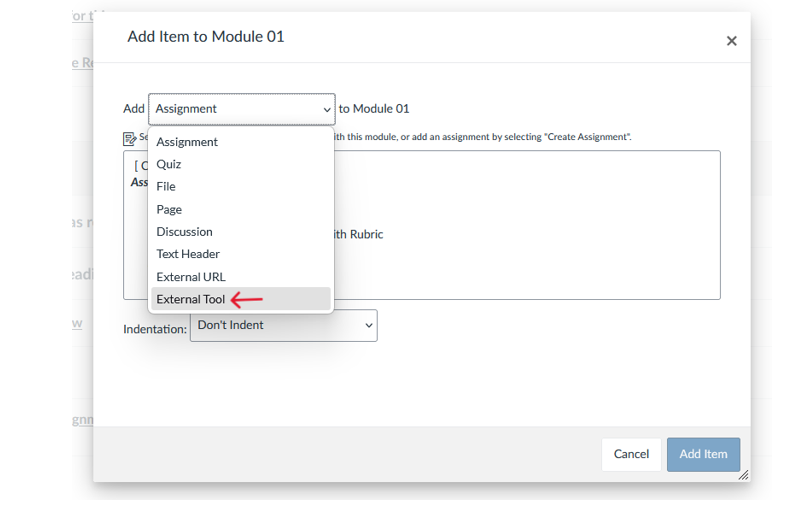
- When the Add Item box appears, select External Tool from the drop-down menu
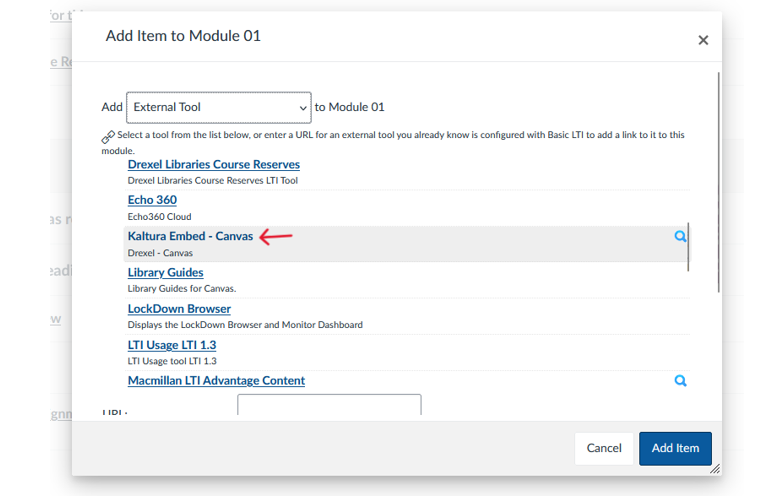
- From the list of external tools, select Kaltura Embed - Canvas. Remember: Kaltura is the official product name of the service known as Drexel Streams.
- Your own Drexel Streams library will load. Locate your video by scrolling through your video library, or by searching for the video in the “search” field. You can try searching for the video’s title, or a tag if you previously added one.
- If you cannot find the video you are looking for, it may not be saved under your account. Reach out to lebowintech@drexel.edu for additional assistance.
- Once you’ve found the video you’d like to add, click on the Embed button
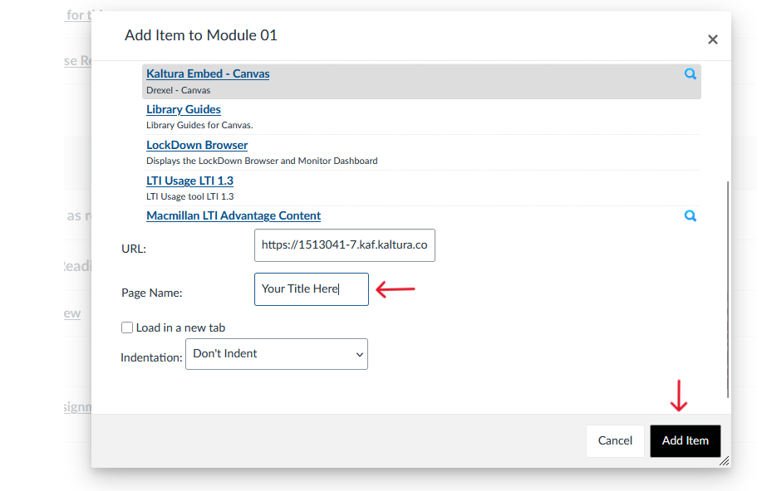
- The URL and Page Name text fields will automatically populate based on the video you’ve selected. You should not edit the URL.
- If you’d like to give your video a different title, you can rename it using the Page Name text field. Any changes will apply to the video’s title in this course only.
- Click Add Item to finish adding your video
Related Items
Adding Videos to Drexel Streams
Drexel Streams is the recommended storage space for any video lectures that faculty wish to share in Blackboard.
Renaming Videos in Drexel Streams
Renaming Zoom recordings in Drexel Streams can make them easier to find when you are ready to add those recordings into your Blackboard course.
Have Questions?